

SaaS Infrastructure
Transactional Email Without Burning Your Domain Reputation
A practical guide to email subdomains, SPF, DKIM, DMARC, alignment, suppression, monitoring, and separating critical SaaS messages from marketing traffic.
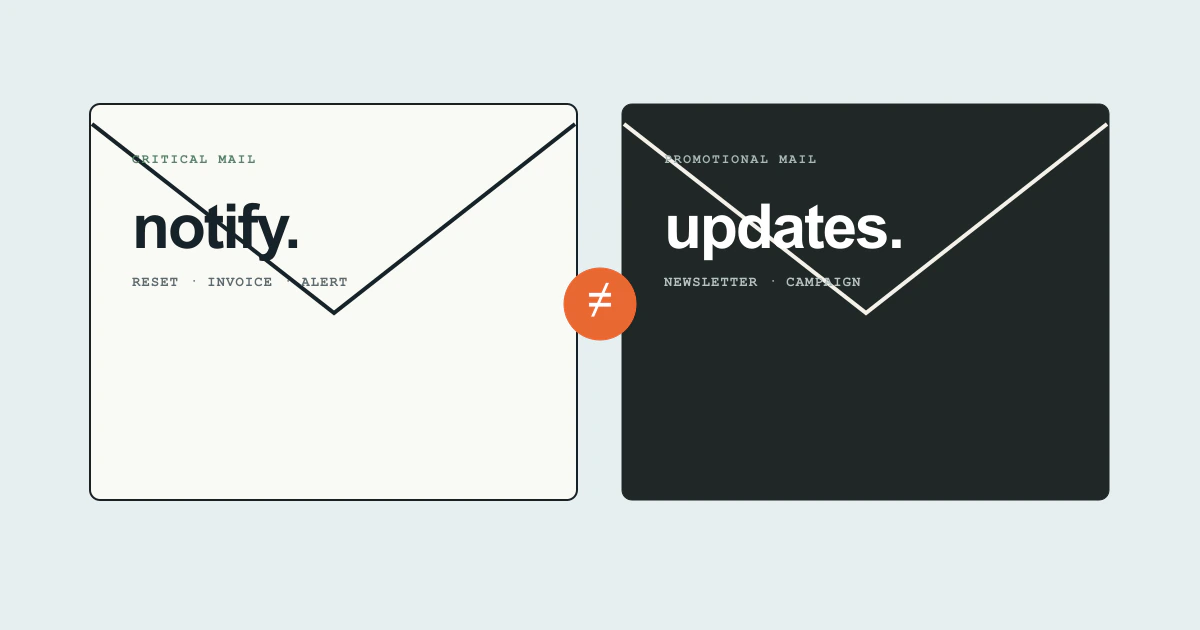
Email is part of the product when it carries a password reset, sign-in code, invoice, alert, or invitation. A message that your provider marks “delivered” may still be rejected, deferred, sent to spam, or accepted by a server that never places it in the user’s inbox.
Deliverability is therefore an identity and operations problem, not a template problem. The safest early setup creates separate traffic classes, authenticates them correctly, stops sending to bad destinations, and makes every critical message traceable.
Separate critical and promotional traffic
Use subdomains to make traffic easier to operate. A practical layout might be:
notify.example.comfor resets, login codes, invoices, and account alerts;updates.example.comfor product announcements and newsletters;- the root domain for person-to-person company mail.
This is not a magical reputation firewall. Receivers can evaluate the organizational domain and other shared signals. It does, however, let the team configure providers, bounce handling, DKIM keys, sending rates, and monitoring independently. Oracle’s subdomain guidance for bulk and transactional mail describes the same operational benefit.
Do not send a marketing campaign through the stream responsible for password resets because it has “better deliverability.” That borrows trust from the most important messages and makes incidents harder to isolate.
Authenticate the exact sending arrangement
Three DNS mechanisms work together:
- SPF identifies systems allowed to send for an envelope domain.
- DKIM adds a cryptographic signature tied to a domain and selector.
- DMARC checks alignment between the visible From domain and an authenticated SPF or DKIM domain, then publishes a policy and reporting address.
Google’s current email sender guidelines require all senders to Gmail accounts to use SPF or DKIM, valid DNS records, and TLS. Senders of more than 5,000 messages a day to personal Gmail accounts face stronger requirements including SPF, DKIM, DMARC, alignment, and one-click unsubscribe for marketing or subscribed messages. Google also tells senders to keep reported spam below 0.3%.
Configure the provider’s custom bounce or return-path domain where supported, publish its DKIM records, and verify DMARC alignment with real message headers. “SPF passed” is not enough when it passed for a provider domain unrelated to the visible From address.
Publish one SPF policy per domain. If several tools need authorization, combine their mechanisms rather than creating multiple competing SPF TXT records. Keep the policy maintainable: deeply nested provider includes can exceed SPF’s DNS-lookup limit and produce a permanent error.
Introduce DMARC as an observation loop
A new domain can begin with a DMARC monitoring policy and an aggregate-report mailbox. Inventory legitimate sources before moving toward quarantine or rejection. Reports will often reveal forgotten services: the help desk, CRM, invoicing system, recruiting tool, or a marketing platform configured years earlier.
The sequence is:
- Authenticate known senders with aligned DKIM where possible.
- Publish DMARC reporting and inspect results by source.
- Remove or correct unauthorized and obsolete systems.
- Increase enforcement gradually while monitoring legitimate failures.
- Maintain an owner and renewal plan for every sending service.
Do not copy a strict policy from a tutorial without knowing every system that sends as the domain. Equally, do not leave monitoring mode forever. A policy with no review process is only a DNS record.
Build around events, not a single send call
The provider API accepting a message is the beginning of its lifecycle. Store a message record with:
- internal message ID and message type;
- user and tenant ID;
- recipient domain, with address access appropriately protected;
- template version;
- provider and provider message ID;
- request time and acceptance response;
- delivered, deferred, bounced, complained, or suppressed events;
- retry decision and final state.
Process provider webhooks through a durable, idempotent event handler. The same delivery event may arrive more than once. Events may be delayed. Your product should not send a second invoice or reset link merely because a status update was missing.
For critical messages, show a user-safe delivery state such as “sent at 14:32” and allow a controlled resend. Avoid claiming “delivered to your inbox.” If a sign-in code cannot arrive, offer another secure recovery route rather than unlimited resend attempts that damage reputation and help attackers enumerate accounts.
Suppress addresses that should not be retried
A hard bounce says the destination is not valid or cannot permanently accept mail. A complaint says the recipient reported the message as unwanted. Continuing to send to either wastes volume and harms reputation.
Maintain a global suppression record for hard bounces and complaints, and a separate preference model for marketing opt-out. A user opting out of a newsletter should still receive a security alert or legally required billing message. Conversely, labeling a promotional campaign “transactional” does not remove unsubscribe obligations.
Soft bounces and temporary deferrals need bounded retry behavior. Use the provider’s recommended retry flow, then stop. Never write an application loop that immediately resends the same message every time a temporary failure webhook appears.
Make templates safe operational objects
Every template should have an owner, purpose, traffic class, From address, reply path, and version. Preview plain-text and HTML versions. Verify links against the production origin and avoid URL shorteners in security messages. Include enough context for a recipient to understand the action without exposing private account data in the subject line.
For password resets and login codes:
- keep tokens out of provider metadata and logs;
- expire them quickly and make them single-use;
- do not load third-party tracking pixels on sensitive flows;
- explain how to ignore or report an unsolicited message;
- rate-limit requests by account and network signals.
For invoices and alerts, use stable event IDs so support can connect what the user sees with a system record without searching raw message bodies.
Monitor the user outcome
Track acceptance, delivery events, hard bounces, complaints, deferrals, and time-to-delivery by provider, traffic class, and recipient domain. Register the domain in Gmail Postmaster Tools when eligible and review authentication and reputation signals. Set alerts on changes, not only fixed thresholds: a move from almost no deferrals to a small but concentrated rate at one mailbox provider can indicate a real problem.
Also run synthetic tests to controlled inboxes at major providers. They do not predict every recipient outcome, but they catch broken DNS, missing content, unexpectedly slow sends, and provider configuration errors. Test the full action: can the inbox receive the reset and can the link be used once?
Next steps
- Inventory every service that sends mail for the company.
- Separate transactional and marketing streams with clear subdomains and owners.
- Verify SPF, DKIM, DMARC, and alignment using real headers.
- Set up bounce, complaint, and suppression processing.
- Create a dashboard for critical-message acceptance, delivery delay, and failures.
Buying a respected email provider helps. It does not transfer your domain reputation to the provider. Reputation comes from authenticated identity, wanted traffic, clean recipients, controlled volume, and the ability to see and correct failures.